
The fastest draw in the East


Play
Apple's new iPad Pro with its optional smart keyboard and smart pencil fills the gap between tablet and notebook
A POWERFUL and sleek tablet computer with a gorgeous 12.9-inch display and a stylus “pencil”, Apple’s iPad Pro with the optional Smart Keyboard can serve as a powerful computer for handling graphics and movie editing tasks.
The iPad Pro is powered by Apple’s custom-designed A9X chip, which is some 80 per cent more powerful than the processors used in mobile computers in today’s market.
The fast performance explains why iPad Pro comes with a 12.9-inch display, compared with a 9.7-inch display of the original iPad.
Apple says it uses its most advanced Retina display for the iPad Pro, which features 2,732x2048 pixel resolution or a total 5.6 million pixels at the rate of 264 pixel per pinch. The Retina display features lifelike colours and deeper blacks, which is good for photo editing and vivid 3D games playing. Apple also improves the contrast for the iPad Pro by using an advanced process called photo alignment. The process uses shining UV light to create a uniform terrain across the film coating on the thin film transistor and colour filter and this prompts the display’s liquid crystal molecules to lie precisely where they should.
Compared to the iPad Air 2, the iPad Pro has 78 per cent more screen area and 2.5 million more pixels. Yet despite the mega display, the iPad Pro is skinny at just 6.9mm.
At the heart of the iPad Pro is the third-generation A9X chip designed by Apple to give it 64-bit desktop-class architecture. The chip allows the iPad Pro to handle graphics-heavy animations easily. The large display and powerful chip allow you to perform two tasks side by side without sluggishness.
The A9X chip makes the iPad Pro 1.8 times faster in term of CPU performance compared to the iPad Air 2 and twice as fast in graphics processing. To prove its performance during a recent demonstration, the iPad Pro was used to handle an Autocad 360 project. The tablet could take on the complex and demanding task of the 3D modelling app with ease, modelling the San Francisco bay area and rendering 250,000 individual elements fast and smoothly. The design could be viewed at 60 frames per second. Most desktop computers could not handle such a large modelling task at this speed.
And the iPad Pro handled 4K Ultra HD video editing with the iMovie app smoothly, previewing 4K clips and combining the clips with no effort.
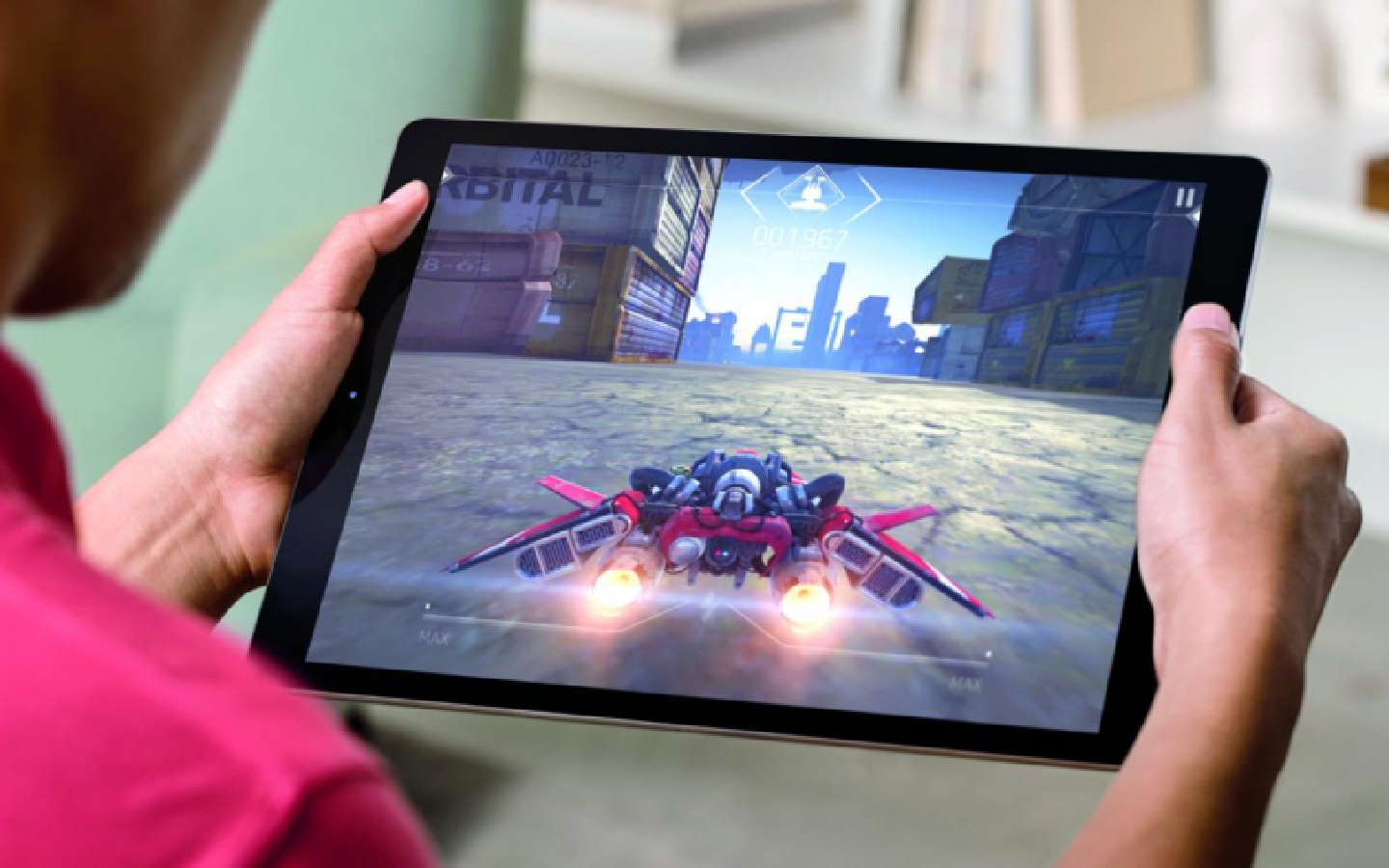
Players of 3D graphics extensive games will love the Pro’s performance. Here again the tablet excelled, displaying 3D models of the games with detailed textures smoothly even when the 3D game characters were being turned by players.
And the powerful A9X chip is integrated with the M9 motion coprocessor to help the tablet save more energy. When you move around, the M9 motion coprocessor continuously measures data from the accelerometer, compass, gyroscope, and barometer. Without the coprocessor, the tasks would have to be done by the A9X chip. The M9 is more efficient for the tasks so it can help save power.
The iPad Pro has an impressively long battery life of up to 10 hours. Apple explains that the integration of hardware and software as well as new display technologies allows the iPad Pro to use battery power efficiently.
The tablet comes with a Smart Connector that enables two-way power and data to be exchanged between the tablet and accessories, including the Smart Keyboard. The Smart Connector is designed to be used with third-party accessories as well, including Logitech’s CREATE backlit keyboard case.
The Smart Keyboard is an excellent accessory and turned the iPad Pro into a powerful notebook computer during the test.
The top of the keyboard is crafted from a custom woven fabric that’s embossed and laser ablated to form the shape of each key, giving a good feel when you’re typing. There are no gaps between keys and it’s coated in a water- and stain-resistant finish so you don’t have to be afraid of spilling stuff on it.
The Smart Keyboard can be easily attached to the iPad Pro with a magnet and the Smart Connector so there’s no need to recharge the keyboard. It can also serve as a stand for the tablet and a protective cover.
Swiping and typing are responsive and efficient ways to use the tablet but if you need to work on graphic pieces, you will need the optional Apple Pencil.
The use of Apple Pencil has no latency at all and the drawing appears on the screen at once. The new touch subsystem of iPad Pro lets it know that you are using Apple Pencil and it scans for signals from the stylus at the rate of 240 times per second, thus collecting the data twice as fast than if you used your finger and eliminating any latency.
The Pencil has sensors in its tip for measuring pressure applied as you write or draw. And the sensors also calculate the exact orientation and angle of your hand allowing it to imitate a real pencil. This allows you to vary line weight, and create subtle shading as well as adding artistic effects as you would when using a pencil or brush.
Apple Pencil has a Lightning connector under its magnetic cap for recharging its battery by plugging it into iPad Pro’s port. You can charge it from the iPad Pro for 15 seconds to get 30 minutes of use. A full charge gives you 12 hours of use.
The iPad Pro has fast wireless speed with LTE 4G and Wi-Fi 802.11ac connections. I connected it to Linksys WRT1200 AC for instant access to the Internet. While on the go, I connected it to TrueMove H’s LTE network. Using the Ookla speedtest app, the iPad Pro achieved a download speed of 44.22 Mbps and upload speed of 21.97 Mbps.
The tablet also comes with a fingerprint scanner on the Home button that allows efficient use of the Touch ID function. You can use the fingerprint to unlock the tablet.
The iPad Pro captures good quality photos using its 8-megapixel iSight camera at the back. The camera uses f/2.4 aperture five-element lens and backside-illuminated image sensor.
The tablet plays good quality music thanks to a four-speaker audio system. The four speakers are located in each corner. All four produce bass frequencies while the topmost speakers are dedicated to mid and high frequencies. The tablet recognises whether it is in portrait or landscape mode and orients the sound to match.
I tested the iPad Pro with 128 GB storage and Wi-Fi and LTE connection, which retails for Bt41,900 – not expensive considering all the features and performance. The Wi-Fi only version with 32 GB storage retails for Bt30,900 while the Wi-Fi only version with 128 GB storage costs Bt36,900. The Smart Keyboard is priced at Bt6,700 while the Apple Pencil goes for Bt3,900.
Key Specs
Chip: A9X chip with 64-bit architecture, M9 motion coprocessor
Display: 12.9-inch LED-backlit Multi-Touch display with 2732-by-2048 resolution
iSight Camera: 8MP, f/2.4 aperture five-element lens, 1080p video recording
Facetime HD Camera: 1.2MP photos, f/2.2 aperture lens, |720p video recording
Microphones: Dual |microphones for calls, video recording, audio recording
Wireless connectivity: Wi-Fi (802.11a/b/g/n/ac); dual |channel (2.4GHz and 5GHz); HT80 with MIMO; Bluetooth 4.2 technology
Network: UMTS/HSPA/HSPA+/DC-HSDPA (850, 900, 1700/2100, 1900, 2100 MHz); GSM/EDGE (850, 900, 1800, 1900 MHz); CDMA EV-DO Rev. A and Rev. B (800, 1900 MHz); LTE (Bands 1, 2, 3, 4, 5, 7, 8, 13, 17, 18, 19, 20, 25, 26, 28, 29, 38, 39, 40, 41)
Connectors: Lightning, Smart Connector
Sensors: Three-axis gyro, Accelerometer, Ambient light sensor, Barometer
Battery: 38.5-watt-hour|lithium-polymer batter, |up to 10 hours of use
Dimensions: 305.7x220.6x6.9mm
Weight: 723g
